
Why Image Ratios & Resolution Matter for Wall Art
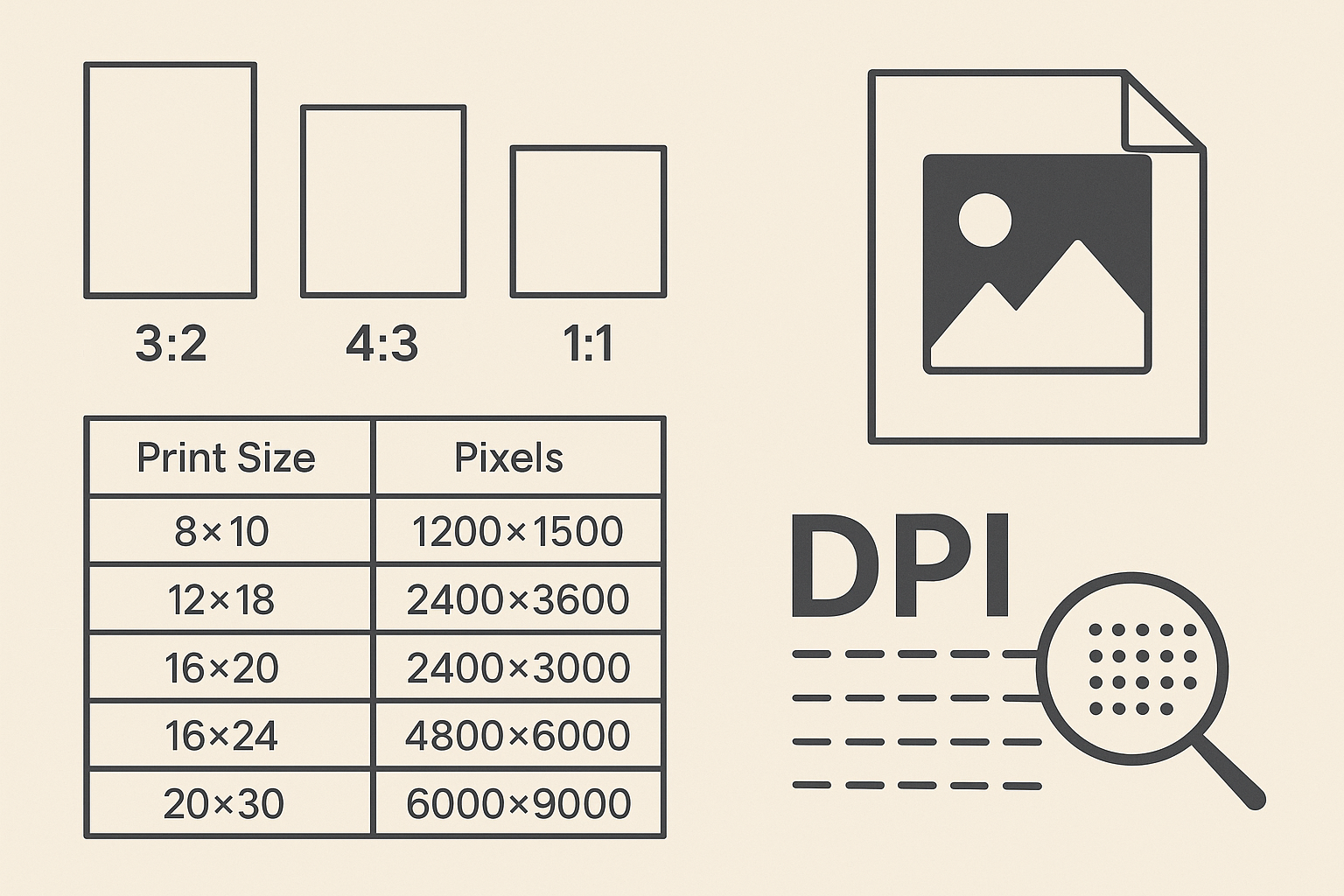
When you’re printing artwork—especially large-format pieces for your home or gallery—the ratio and resolution of the image determine whether your final print looks sharp and professional or blurry and distorted.
Understanding these basics helps you:
Avoid pixelated prints
Match your artwork to standard frame sizes
Get the highest-quality output for canvas, posters, and photo prints
Let’s break it down in simple terms.
📐 What Is an Image Ratio?
An image ratio is the relationship between the width and height of an image.
For example:
3:2 means the image is 3 units wide and 2 units tall
4:3 means the image is 4 units wide and 3 units tall
Why It Matters
If your image ratio doesn’t match the print size you choose, the printer will force a crop or stretch—often cutting off important parts of your artwork.
⭐ Most Common Print Aspect Ratios
These are the ratios that match most standard frames and print sizes.
1. 3:2 Ratio — Perfect for Photography
Common print sizes:
12×18
16×24
20×30
Best for: Landscape and portrait photography, canvas prints.
2. 4:3 Ratio — Great for Digital Artwork
Common print sizes:
8×10
16×20
24×30
Best for: Digital illustrations, portraits, and general wall art.
3. 1:1 Ratio — Square Prints
Common print sizes:
12×12
16×16
20×20
Best for: Modern, minimalist, and Instagram-style art.
4. 2:1 Ratio — Panoramic Art
Common print sizes:
12×24
20×40
Best for: Landscapes, cityscapes, ultrawide digital art.
🔍 What Is Resolution?
Resolution refers to the number of pixels in your image. More pixels = sharper print.
It’s measured as:
PPI (Pixels per inch) for digital screen display
DPI (Dots per inch) for print quality
Ideal Print Resolution
300 DPI → Best, professional-quality prints
240 DPI → Great for most wall art sizes
150 DPI → Acceptable for very large prints (24×36 and up)
🏆 Recommended Resolution by Print Size
Use this chart to ensure your artwork stays sharp:
Print Size (inches)Minimum PixelsIdeal Pixels8×101200×15002400×300012×181800×27003600×540016×202400×30004800×600016×242400×36004800×720020×303000×45006000×900024×363600×54007200×10800
Tip: Always export your artwork at the largest size available—you can scale down, but not up.
🎨 Choosing the Right Resolution for Different Print Types
Canvas Prints
Best DPI: 150–240 DPI
Canvas texture hides slight softness, so ultra-high DPI isn’t required.
Photo & Fine Art Prints
Best DPI: 300 DPI
These have smooth surfaces, so every detail counts.
Posters
Best DPI: 150–240 DPI
Slightly lower DPI works because posters are viewed from a distance.
✨ How to Avoid Blurry Prints
Start with the largest file size possible
Use lossless formats like PNG or TIFF
Avoid overly compressed JPEGs
Make sure the aspect ratio matches your intended print size
Check resolution before uploading to a print service
🧠 Quick Formula: How Many Pixels Do You Need?
If you want a simple calculation:
Required Pixels = Print Dimension (in inches) × Desired DPI
Example:
Want a 16×20 print at 300 DPI?
16 inches × 300 = 4800 pixels
20 inches × 300 = 6000 pixels
So your file should be 4800×6000 px.
🛒 Planning to Sell Your Art as Prints?
If you're preparing files for customers, use this checklist:
✔️ Print-ready file checklist
Export at 300 DPI
Save in PNG, TIFF, or high-quality JPEG
Include multiple aspect ratios (3:2, 4:3, 1:1)
Provide multiple size options
Add safe margin for cropping
This ensures customers get perfect prints every time.
🏁 Final Thoughts
Understanding your image ratios and resolution is the key to producing high-quality, professional-looking prints. Whether you're printing wall art for your home or selling digital downloads, following the ratio and DPI guidelines above will keep your artwork sharp, vibrant, and print-ready at any size.
